
CC Switch
CC Switch is a desktop provider manager for Claude Code, Codex, Gemini, OpenCode, OpenClaw, and more. This guide uses Claude Code as an example and shows how to add and enable ModelGo.
Before you start
- Install CC Switch and make sure it opens normally.
- Install Claude Code and launch it at least once.
- Create or copy an API key in the ModelGo console.
- Confirm a logical model name available to your API key in the model catalog.
1. Open the Claude Code configuration
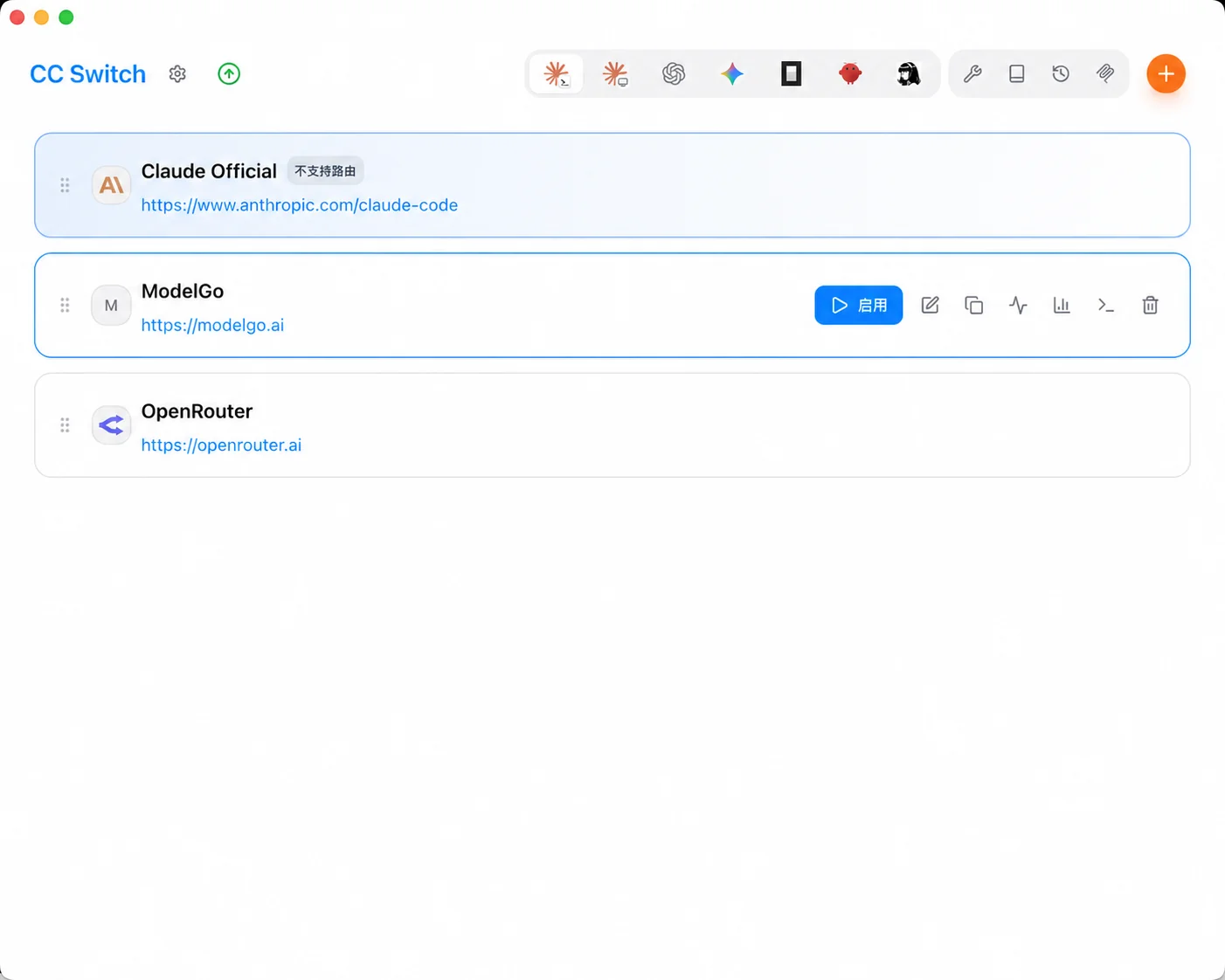
Open CC Switch, select Claude at the top, and click + to add a configuration.


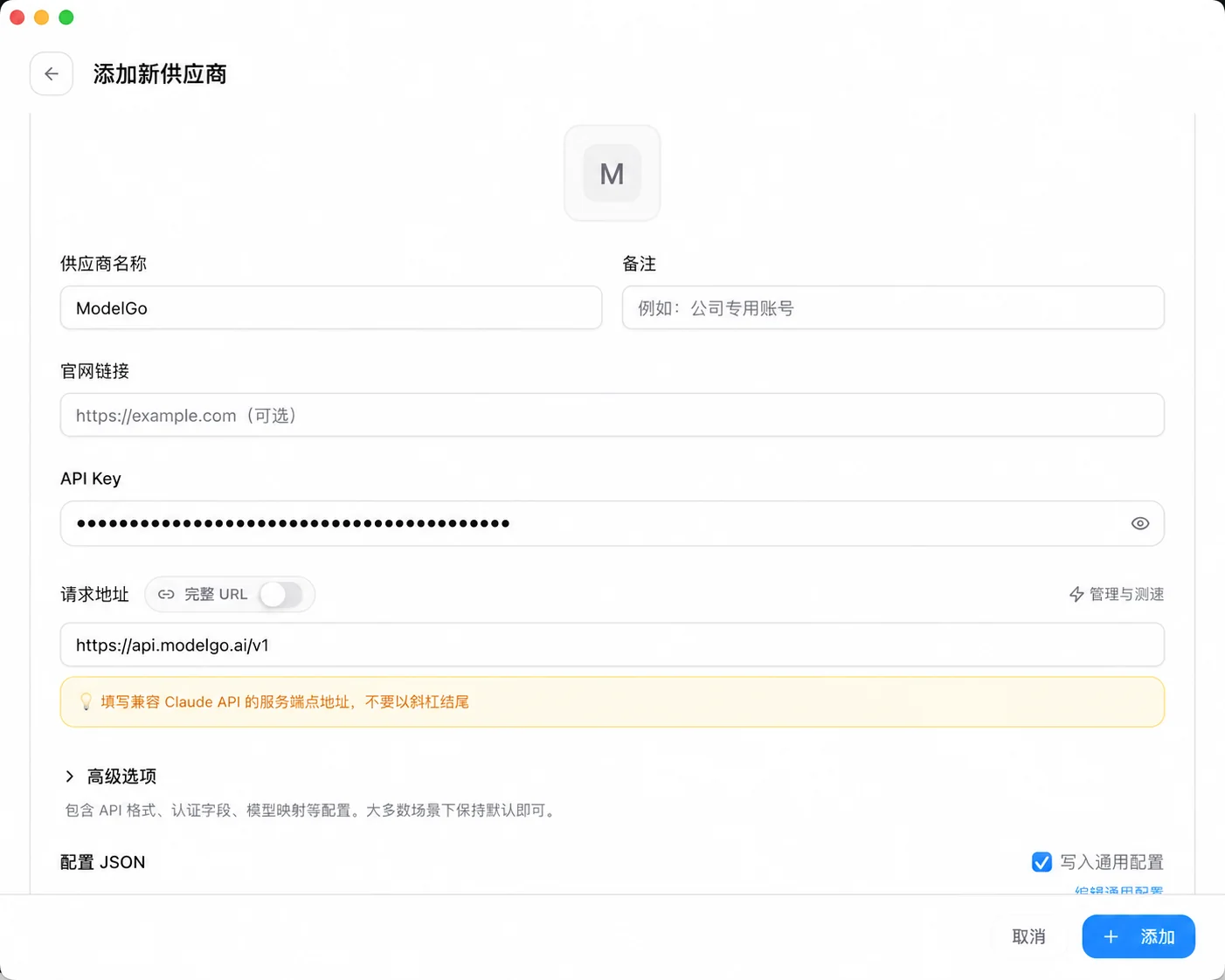
2. Add a ModelGo provider
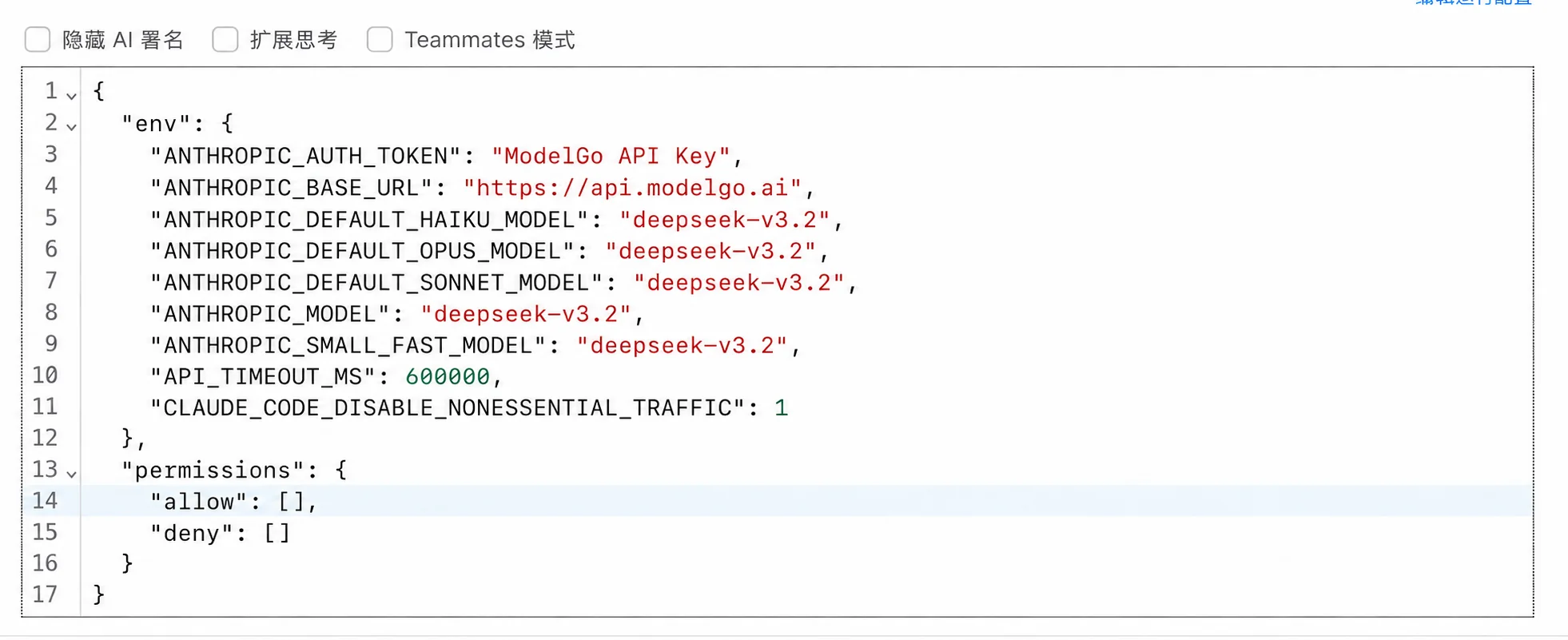
Paste the following JSON into the configuration editor. Replace your-model-id with a logical model name from the model catalog and sk-your-token with your ModelGo API key:
{
  "env": {
    "ANTHROPIC_AUTH_TOKEN": "sk-your-token",
    "ANTHROPIC_BASE_URL": "https://api.modelgo.ai",
    "CLAUDE_CODE_DISABLE_NONESSENTIAL_TRAFFIC": 1,
    "API_TIMEOUT_MS": 600000,
    "ANTHROPIC_MODEL": "your-model-id",
    "ANTHROPIC_SMALL_FAST_MODEL": "your-model-id"
  },
  "permissions": {
    "allow": [],
    "deny": []
  }
}
If your CC Switch version supports environment placeholders, you can use {env:MODELGO_API_KEY} for the token and set it in the terminal where you start Claude Code:
export MODELGO_API_KEY="sk-your-token"Windows PowerShell:
$env:MODELGO_API_KEY = "sk-your-token"| Setting | ModelGo value |
|---|---|
ANTHROPIC_AUTH_TOKEN | API key created in the ModelGo console |
ANTHROPIC_BASE_URL | https://api.modelgo.ai |
ANTHROPIC_MODEL | A logical model name from the model catalog |
ANTHROPIC_SMALL_FAST_MODEL | The same callable logical model name |
3. Save and enable the provider
Set the provider name to ModelGo, then click Add or Save. Return to the Claude configuration list and enable the ModelGo entry.
Start Claude Code:
claudeEnter a simple task such as “Describe this project in three sentences.” A normal response confirms the connection.
4. Verify the configuration
To verify the API key and model access separately:
curl https://api.modelgo.ai/v1/models \
  -H "Authorization: Bearer $MODELGO_API_KEY"
Use an id from the response as the logical model name for ANTHROPIC_MODEL and ANTHROPIC_SMALL_FAST_MODEL.
Troubleshooting
401 or authentication errors
Confirm that the token is a valid ModelGo API key and that the CC Switch profile does not contain an old token. Remove extra spaces or line breaks.
404 or endpoint errors
Set ANTHROPIC_BASE_URL to https://api.modelgo.ai. Do not use https://api.modelgo.ai/v1/messages or a full request path.
Model unavailable
Make sure the model name exactly matches a logical model in the model catalog and is enabled for the API key.
Claude Code still uses the old profile
Confirm that the ModelGo profile is enabled in CC Switch. Fully restart the terminal, then run claude again.
Related docs
- First API Call: create an API key, find a model, and verify ModelGo.
- Authentication: use API keys safely.
- CC Switch Quick Start: learn the interface and profile switching flow.
- CC Switch Provider Setup: learn custom provider fields and credential management.