
OpenCode
OpenCode is an open-source terminal AI coding agent. Its custom provider support lets you connect any OpenAI-compatible endpoint, including ModelGo, from a terminal, IDE, or desktop client.
Before you start
- Install Node.js 18 or later.
- Install OpenCode and confirm that
opencode -vworks in your terminal. - Create or copy an API key in the ModelGo console.
- Confirm a logical model name available to your API key in the model catalog.
1. Install OpenCode
Run:
npm install -g opencode-ai
opencode -v
You can also use the installation method provided by the OpenCode project. A version printed by opencode -v confirms a successful installation.
2. Configure the ModelGo provider
OpenCode reads user configuration from:
- macOS/Linux:
~/.config/opencode/opencode.json - Windows:
%USERPROFILE%\\.config\\opencode\\opencode.json
Create or edit opencode.json. Replace your-model-id with a logical model name from the model catalog:
{
  "$schema": "https://opencode.ai/config.json",
  "provider": {
    "modelgo": {
      "npm": "@ai-sdk/openai-compatible",
      "name": "ModelGo",
      "options": {
        "baseURL": "https://api.modelgo.ai/v1",
        "apiKey": "{env:MODELGO_API_KEY}"
      },
      "models": {
        "your-model-id": {
          "name": "your-model-id"
        }
      }
    }
  }
}
Set the environment variable:
export MODELGO_API_KEY="sk-your-token"Windows PowerShell:
$env:MODELGO_API_KEY = "sk-your-token"| Setting | ModelGo value |
|---|---|
name | ModelGo, the display name in OpenCode |
options.baseURL | https://api.modelgo.ai/v1 |
options.apiKey | {env:MODELGO_API_KEY} |
models | A logical model ID and display name from the model catalog |
3. Select a model and start a chat
Start OpenCode:
opencodeEnter /models to open the model picker, then select a model under the ModelGo provider.
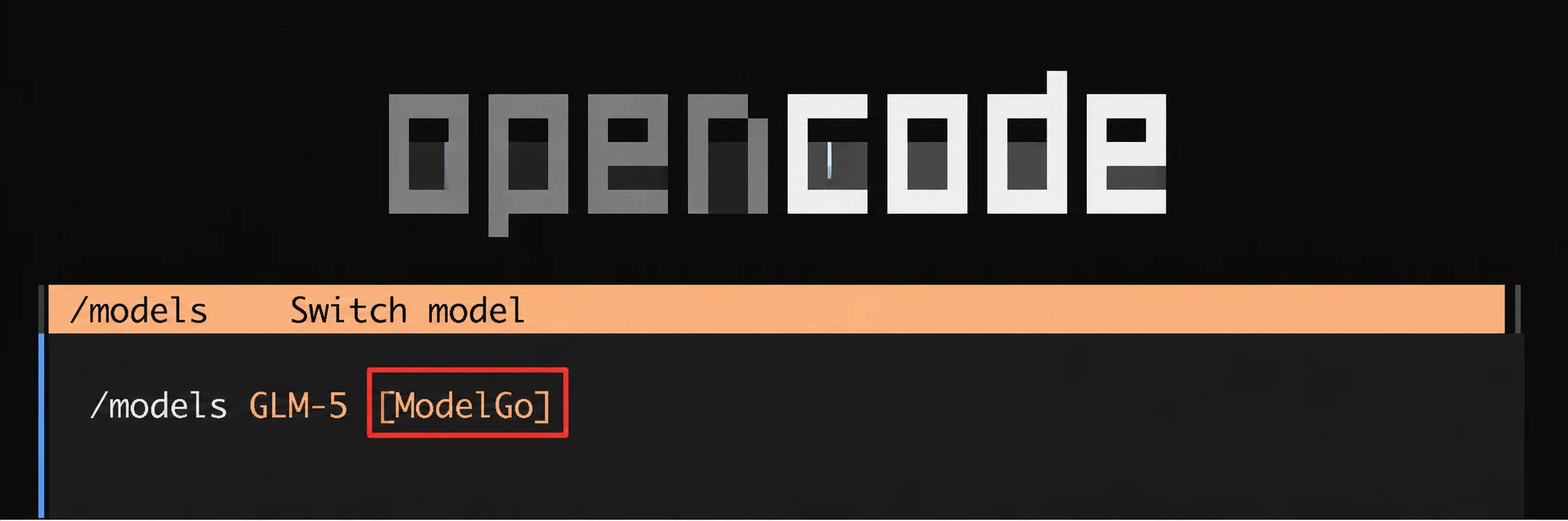
The ModelGo provider label confirms that OpenCode recognized the provider.
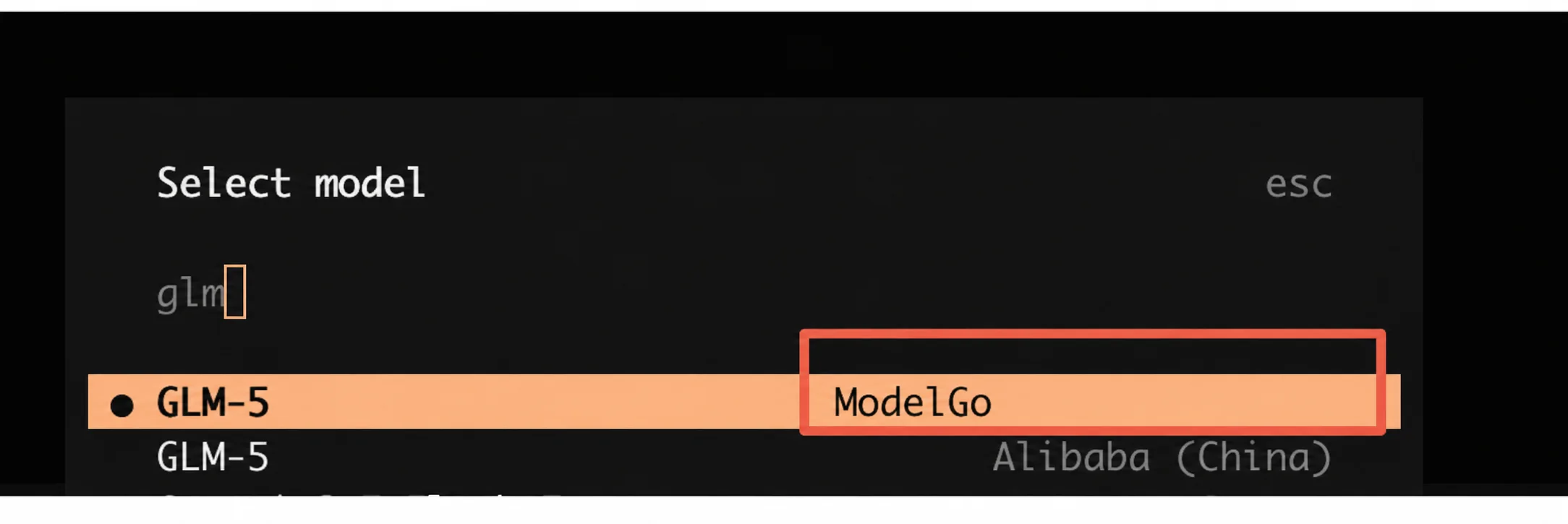
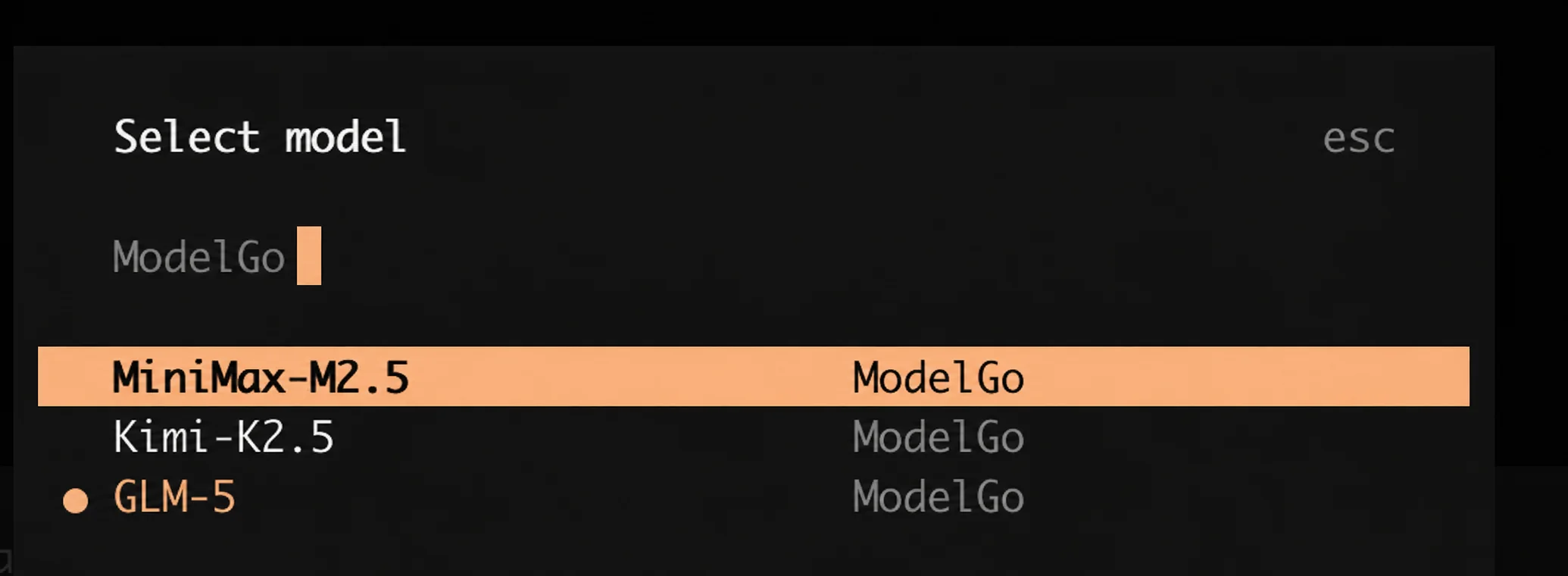
You can also type ModelGo in the picker to filter the list:
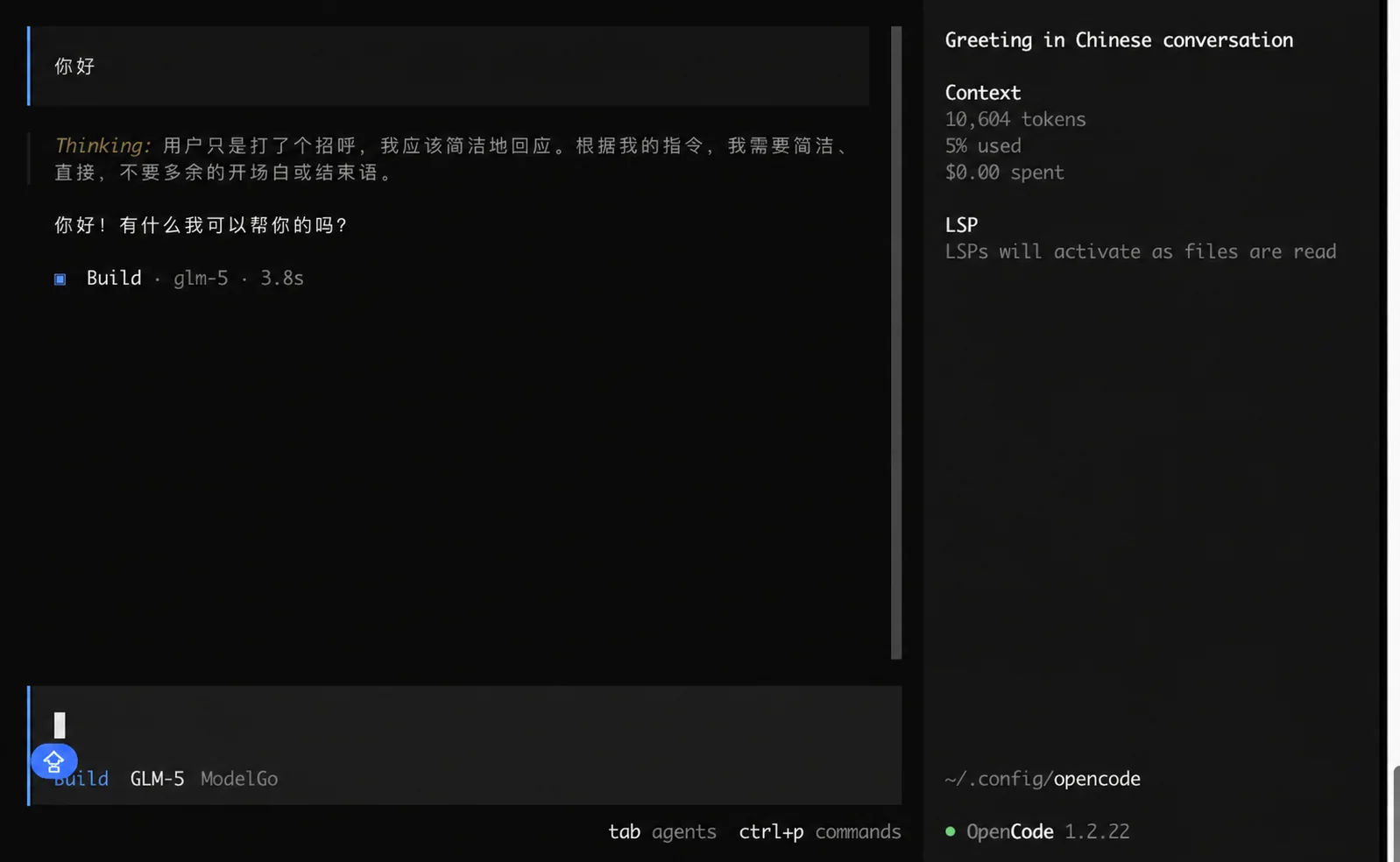
Select the model and enter a simple task such as “Describe this project in three sentences.”
4. Verify the configuration
If the model list is empty, confirm that the API key can reach ModelGo:
curl https://api.modelgo.ai/v1/models \
  -H "Authorization: Bearer $MODELGO_API_KEY"
The id values in the response are the logical model names to use in models.
Troubleshooting
OpenCode cannot find the config file
Check that the file is named opencode.json and is in ~/.config/opencode/ (or %USERPROFILE%\\.config\\opencode\\ on Windows). A project-level file with the same name can override user settings.
401 or authentication errors
Confirm that MODELGO_API_KEY is set in the current terminal and contains no extra spaces. Restart OpenCode after changing the variable.
404 or endpoint errors
Use https://api.modelgo.ai/v1 as baseURL; do not append /chat/completions.
Empty model list or unavailable model
Make sure the ID in models exactly matches a logical ModelGo model and that the model is enabled for the API key.
Related docs
- First API Call: create an API key, find a model, and verify ModelGo.
- Authentication: use API keys safely.
- OpenCode Providers documentation: configure providers, credentials, and custom Base URLs.
- OpenCode configuration documentation: learn the config file structure and model options.