
DeepSeek Harness
DeepSeek Harness (DSH) is an open-source agent framework from DeepSeek AI. It combines models, tools, filesystems, terminals, sessions, and a Web UI into a runnable agent. Add a custom provider to call models through ModelGo's OpenAI-compatible API.
Before you start
- Install Node.js 22 or later.
- Install pnpm 11 or later.
- Create an API key in the ModelGo Console.
- Confirm a logical model name allowed for the API key in the Model Catalog.
1. Install and start DeepSeek Harness
The current source-install path is:
git clone https://github.com/deepseek-ai/deepseek-harness.git
cd deepseek-harness
pnpm install
pnpm run build
pnpm dsh web
The terminal prints the Web UI address. The default is http://127.0.0.1:3080; use the address printed by your terminal if the port is already in use.
For a quick preview, you can also run:
npx @deepseek-ai/dsh web2. Configure ModelGo
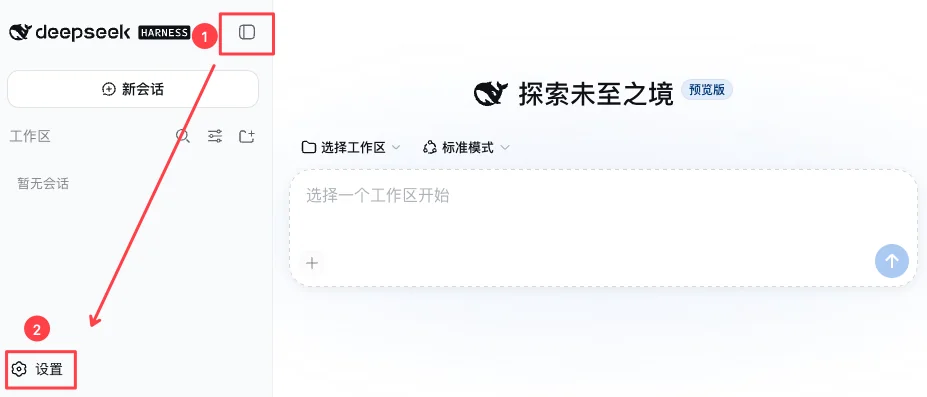
Open the address printed by the terminal, click the sidebar button in the upper-left corner, and then click Settings.
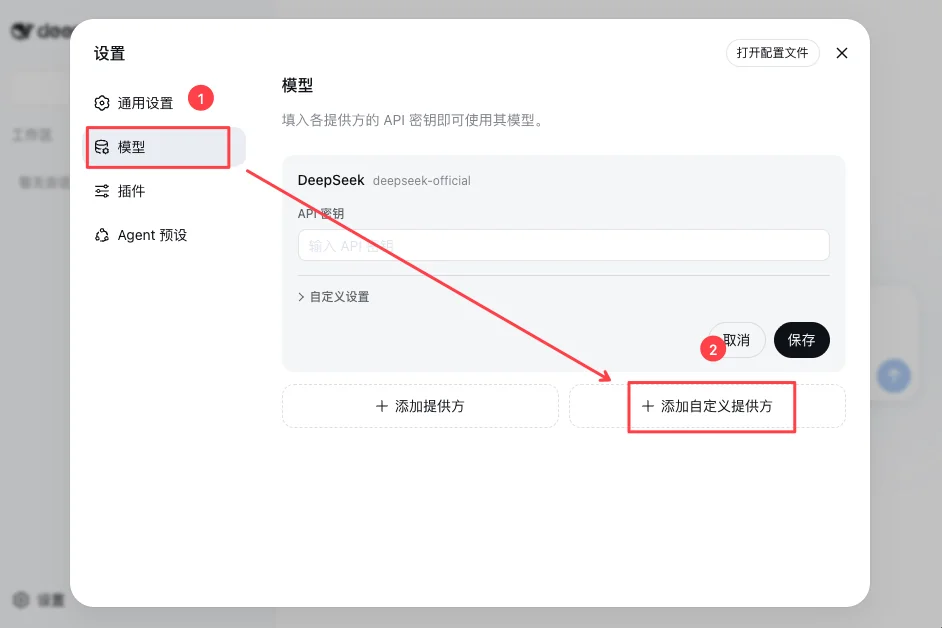
Select Models and click Add custom provider.
Use these values:
| Setting | Value in ModelGo |
|---|---|
| Provider ID | modelgo |
| Display name | ModelGo |
| API URL | https://api.modelgo.ai/v1 |
| API protocol | openai-completions |
| API key | ModelGo API key |
| Model ID | A logical model name from the Model Catalog |
| Display name | You can use the same value as the model ID |
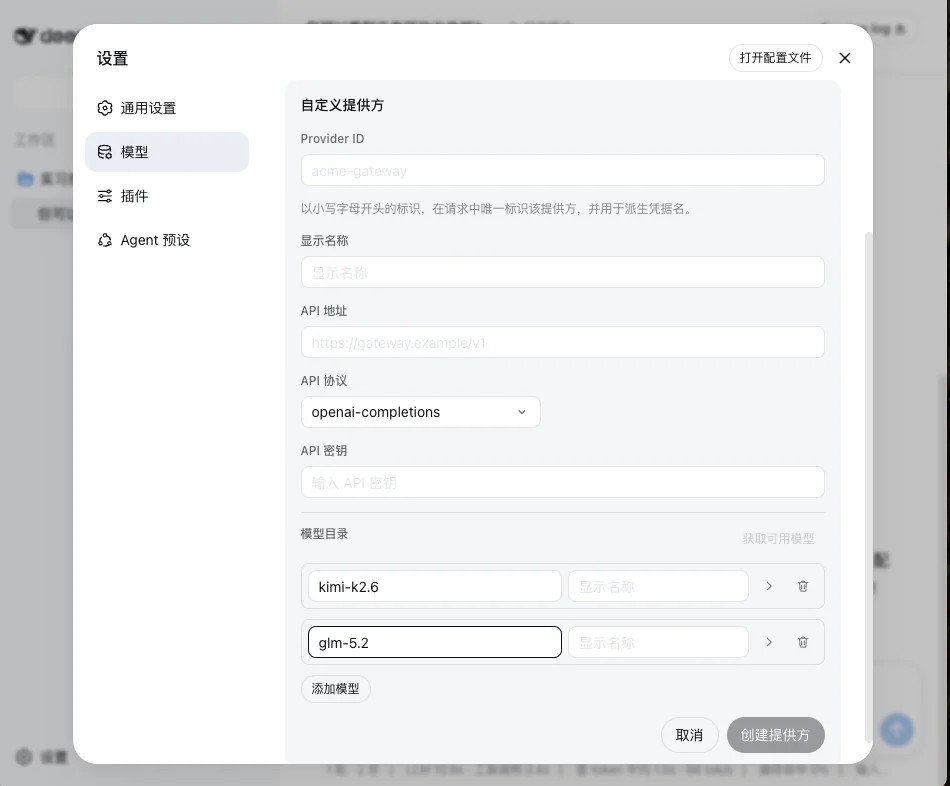
Click Create provider to save the configuration. Keep these points in mind:
3. Start a session
Return to the main view, choose a workspace, and then select the ModelGo model you just added.
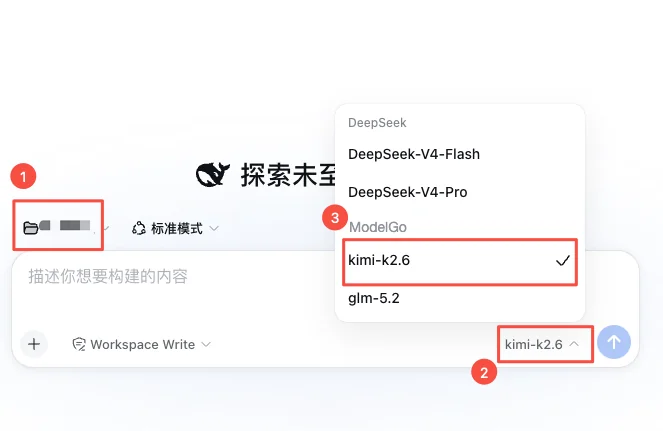
Send a simple task such as “Describe this project in three sentences.” A normal response confirms the ModelGo connection.
Troubleshooting
The Web UI does not open
Make sure pnpm dsh web is still running and open the port printed by the terminal. The default is 3080; DSH may choose another port when it is occupied.
401 or authentication failed
Check that the API key is complete, has no extra spaces, and was created in the ModelGo Console.
403 or model unavailable
Confirm that the model ID is a logical ModelGo model allowed by the policy attached to the API key.
404 or incorrect endpoint path
Set the API URL to https://api.modelgo.ai/v1, not a full /chat/completions URL. Select openai-completions as the API protocol.
The model list is empty
Check that a model ID is present and that the custom provider was saved. You can verify the ModelGo endpoint first:
curl https://api.modelgo.ai/v1/models \
  -H "Authorization: Bearer $MODELGO_API_KEY"
Related docs
- First API Call: create an API key, find a model, and verify a ModelGo request.
- Authentication: learn how to use ModelGo API keys.
- DeepSeek Harness official website: see the latest installation and product information.
- DeepSeek Harness GitHub repository: view source and releases.