
Connect WorkBuddy to ModelGo: Setup & Troubleshooting
WorkBuddy supports custom models through the OpenAI-compatible Chat Completions API. Configure a ModelGo endpoint, API key, and model ID to use ModelGo for conversations and office tasks.
1. Prepare your API key and model
Install WorkBuddy. Create an API key in the ModelGo console, and check balance, budgets, and model permissions.
Use a ModelGo logical model ID from the model catalog, or query models available to your key:
export MODELGO_API_KEY="mgk_your_API_key"
curl https://api.modelgo.ai/v1/models \
  -H "Authorization: Bearer $MODELGO_API_KEY"
Use a value from data[].id and choose a model supporting Chat Completions.
2. Add a custom model
Open Settings → Models → Add model.
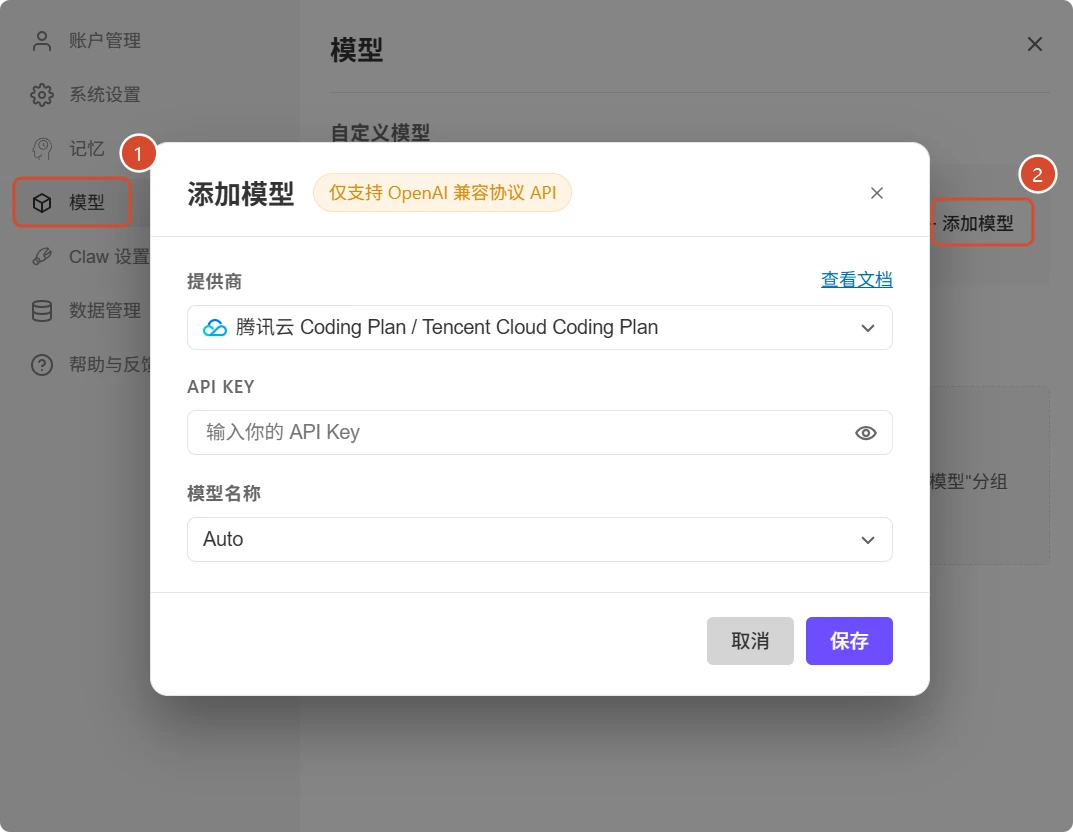
*Official Chinese UI example showing the entry point. Change the preset provider shown here to Custom for ModelGo.*
Select Custom and enter:
| Setting | Value |
|---|---|
| API URL | https://api.modelgo.ai/v1 |
| API key | Your ModelGo API key |
| Model name / ID | Your ModelGo logical model ID |
| Display name (if available) | For example, ModelGo · model name |
| Custom Protocol | Disabled |
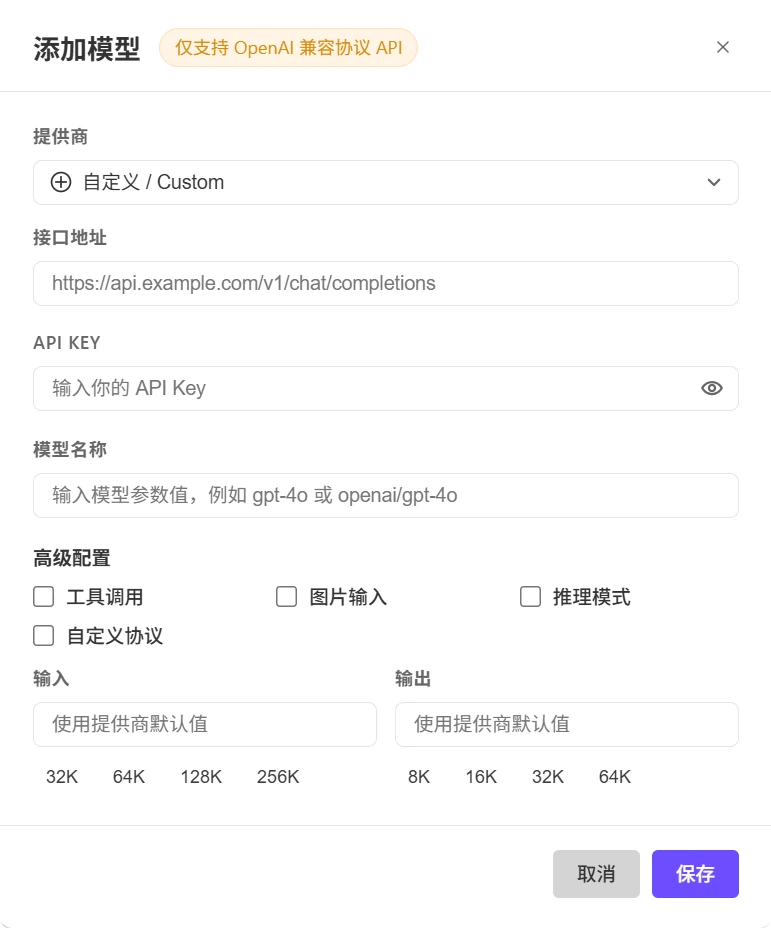
*Official blank form example. Fill it using the ModelGo values above.*
With Custom Protocol disabled, WorkBuddy completes the path to https://api.modelgo.ai/v1/chat/completions. Keep it disabled for this setup. This switch controls URL completion; it does not convert requests to Anthropic Messages or OpenAI Responses.
3. Configure capabilities
Enable tool calling for execution tasks only if the model and endpoint support it. Enable image input and reasoning only when supported. Set input/output token limits within the model and service limits; defaults are a suitable starting point.
Text responses alone do not verify tools or image support. Capability switches do not add capabilities to a model. See model protocols and parameters.
4. Test and select the model
Click Test Connection, then save. In the conversation's model picker, select your model under Custom models and send a short message.
Saving does not switch all conversations automatically. A connection test only checks an initial API response. Verify file access and tools with a small test task.
Troubleshooting
| Issue | Action |
|---|---|
| Model is disabled | Complete and save the API URL and key. |
401 | Check key validity and whitespace. |
402 | Check balance, quotas, and budgets. |
403 | Check model permissions and the error reason. |
404 | Use https://api.modelgo.ai/v1 and disable Custom Protocol. |
model_protocol_not_offered | Choose a model supporting Chat Completions. |
| Chat works, but tools fail | Check model tool support and the capability setting. |
| Old model still used | Select the new custom model in the current conversation. |
ModelGo bills these API calls. Check usage and call logs in the console, and keep X-Request-ID when troubleshooting. See errors and rate limits.